
Time tracking your crews can’t fake
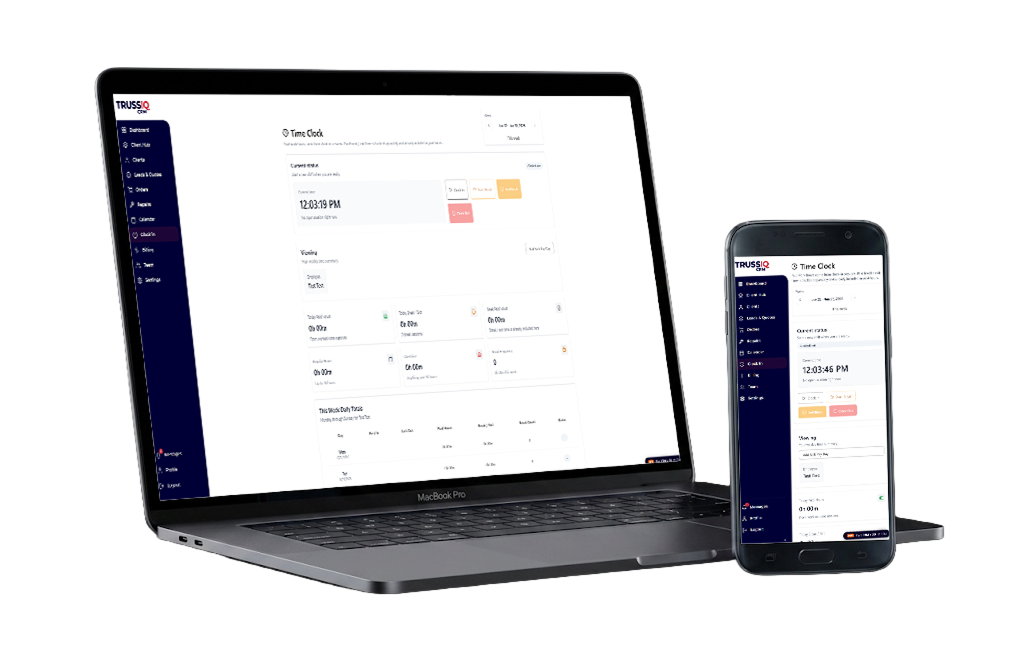
Clock in with GPS and a photo, open the jobs you’re assigned, add notes from the field, and see your day — all from the job site. Available on iPhone and Android.
Included with the Crew and Network plans
Free to download on iPhone and Android. Tap your store below, install TrussIQ, and sign in with your company login.
Only for authorized team members
There is no sign-up in the app. Your company admin creates your account in TrussIQ — on a Crew or Network plan — and you sign in with the same email and password you use on the web. Don’t have a login yet? Ask your admin.
Your company is on Crew or Network
The field app comes with the Crew and Network plans.
Your admin creates your login
An admin adds you to the team in TrussIQ and you get an email to set your password.
Download the app
Get TrussIQ from the App Store on iPhone or Google Play on Android.
Sign in and clock in
Use the same email and password as the web. Your jobs and your day are waiting.
Clock-in / clock-out with GPS + employee photo
Proof-of-presence time tracking: every punch captures the employee’s location and a photo. Available on iPhone and Android.
- GPS location on every clock-in and clock-out
- Employee photo captured at the punch
- Proof-of-presence you can trust

Your assigned jobs
Open the orders you’re assigned and see the full job detail — customer, site, scope and status — without calling the office.
Notes from the field
Add a note to an order while you’re standing on the job. It lands on the record everyone in the office is already looking at.
Talk to your crew on the job
Comment with coworkers on the order itself, so the conversation lives with the work instead of in a group text.
Your day at a glance
A calendar of the tasks assigned to you, so everyone knows what they’re on before they leave the yard.
Dead battery or forgot your phone? Clock in anyway.
Everything in the app also works in a web browser. Borrow a coworker’s phone or grab the company tablet, sign in to TrussIQ with your own login, and clock in with the same GPS location and photo.
Nothing to install
Any phone, tablet or computer with a web browser will do. No download, no setup.
The same proof on every punch
The browser captures GPS location and a photo just like the app, so the timesheet stays one you can trust.
Your login, on any device
Sign in, clock in, then sign out — the next person uses their own account, and every punch stays theirs.
Hours you can stand behind
Accurate hours
Real punches with location and a photo mean the timesheet matches reality.
Payroll confidence
Pay from proof, not from guesswork or memory.
No buddy-punching
A photo and GPS on every punch make it the right person, at the right place.
Proof of presence, not surveillance
Clock-in is there to confirm hours worked — nothing more. Here is exactly what each punch records, and who can see it.
Always your own login
Every employee clocks in with their own account, on the app or in a browser, so each punch belongs to the person who made it.
Location only at the punch
GPS is read once, at the moment you clock in or out. No tracking during the day, no background location, no route history.
Photos are for hours, nothing else
Only the employee and the company’s managers and admins can see the punch photo. We never sell it, never use it for advertising and never use it for AI.
No facial recognition
It’s a photo, not a face scan. TrussIQ creates no face templates and collects no biometric data.
What’s next for the field app
On the roadmap for the field app — not available yet.
Digital job cards
Open a full job card on mobile, with specs and completion detail attached.
Offline spec viewing
View specs even when the network drops on site.
Before / after photos
Capture and upload job photos from the field.
Completion checklists
Close out jobs with a consistent checklist.
Crew document vault
Keep the documents a crew needs in one place.
Know who was on site, and when
Book a demo to see GPS clock-in on the phone — and what’s next for the field app.